Configure port-forwarding
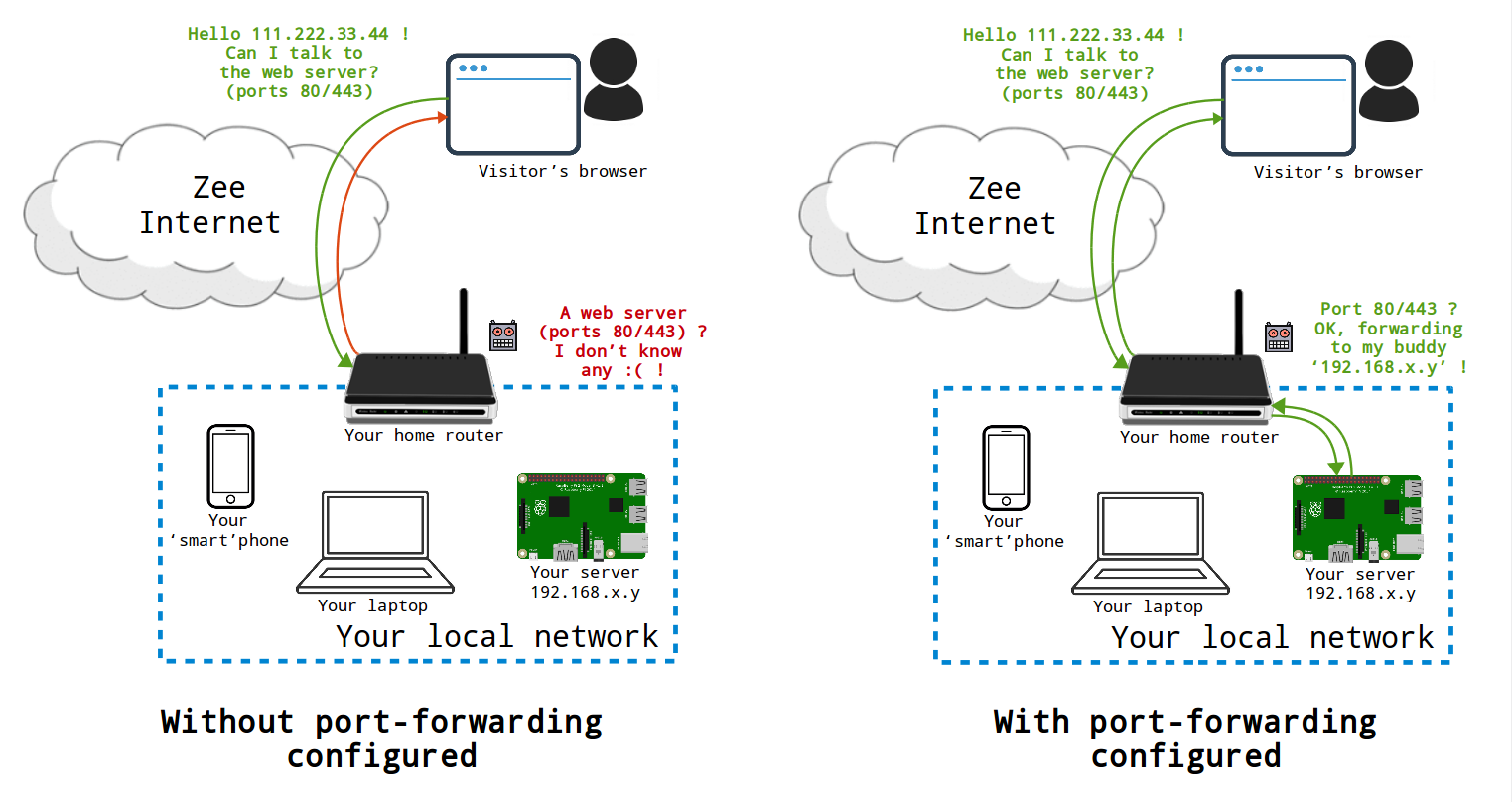
If you are self-hosting at home and without a VPN, you will probably want to forward ports on your home router ("Internet box") if you want your server to be reachable from outside your local network. The sketch below tries to briefly summarize the role and necessity of port forwarding when setting up a server at home.
0. Diagnose ports opened
The diagnosis tool can be used to verify that all necessary ports are exposed to the Internet.
1. Access your box/router administration interface
Your box/router admin interface is usually reachable via http://192.168.0.1 or http://192.168.1.1. Then, you will probably need to authenticate yourself the credentials given by your internet server provider.
2. Find the local IP of your server
Identify the local IP of your server using one of the method listed on the corresponding page.
A local IP address typically looks like 192.168.xx.yy, or 10.0.xx.yy.
The local IP address needs to be static, so that the port forwards that you are going to configure in the next step will always reach your server. You should go into your box/router and make sure that the local IP address of your server is static instead of dynamic.
3. Forwarding ports
In your router admin interface, look for something like "router configuration" or "port forwarding". The naming differs among the various kinds of router models.
Opening the ports listed below is necessary for the various services available in YunoHost to work. For each of them, the 'TCP' forwarding is needed. Some interfaces refer to 'external' and 'internal' ports: these are the same in our case.
If you use both a modem and a router, then you need to do the following:
- first on the modem (the box closest to the internet) create rules to forward the above ports to your router;
- then on the router (the box between the modem and your devices) create rules to forward the above ports to the static IP address for your server.
Many internet service providers (ISPs) block outgoing traffic on port 25 by default, to fight spam. Port 25 is however necessary if you want your server to be able to send email. In other extreme cases, some ISPs may not even allow you to use port 80/443 (web) freely... Depending on the ISP, it might be possible to open them in the admin interface... Check this page for more info.