🌐 Alan adları
YunoHost, tek bir sunucu üzerinden birden fazla alan adı kullanmanızı ve yönetmenizi sağlar. Böylelikle, örneğin bir blog sitesi, yolo.com alan adında Nextcloud hizmeti ve swag.nohost.me alan adında e-posta hizmeti çalıştırabilirsiniz. Her bir alan adı, internet ve e-posta hizmetlerini otomatik olarak çalıştırabilecek şekilde özelleştirilmiştir.
Alan adları, webadmin'in 'Domains' kısmından veya komut satırının yunohost domain kodu ile yönetilebilir.
Whenever you add a domain, it is assumed that you have purchased (or at least control) the domain, so that you can manage its DNS configuration. An exception is domains in .nohost.me, .noho.st and ynh.fr which are offered by the YunoHost Project, and can be directly integrated with YunoHost through automatic DynDNS configuration. To limit abuse and costs, an instance can only have one domain offered at a time, but you can add as many sub-domains to it as you like. For example, if you choose example.ynh.co.uk you can then add the domains video.example.ynh.co.uk or www.exemple.ynh.fr or any other sub-domain you may require.
Domains can be managed in the 'Domain' section of the webadmin, or through the yunohost domain category of the command line.
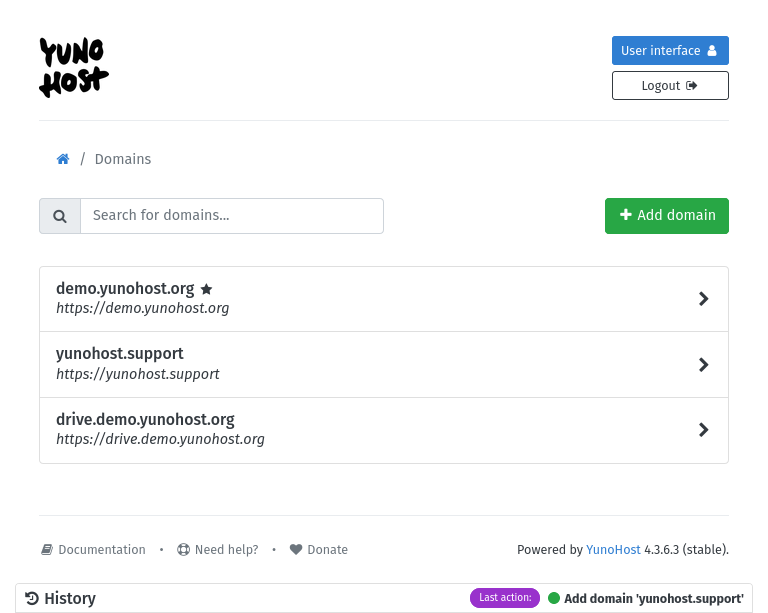
3 types of domains
- Yunohost's domains (the free and easy way)
- Your own domains
- Local domains (only reachable in your local network)
Herkesin kendi sunucusunu rahatça kurması için YunoHost Projesi ücretsiz ve otomatik olarak ayarlanmış bir alan adı hizmeti çalıştırır. Bu sunucuyu kullanarak kendi alan adı sunucunu kendin özelleştirmen gerekmeyecek (ki uğraştırıcı olabilir ve fazla teknik bilgi gerektirebilir).
Aşağıdaki (alt) alan adarı teklif ediliyor.
neistersen.nohost.me;neistersen.noho.st;neistersen.ynh.fr.
In more, YunoHost uses an integrated dynamic DNS mechanism, so your server can stay reachable even if your public IP change.
To get one of this domain you simply need to choose I don't have a domaine name… during the initial configuration (postinstall) or on the Add domain page.
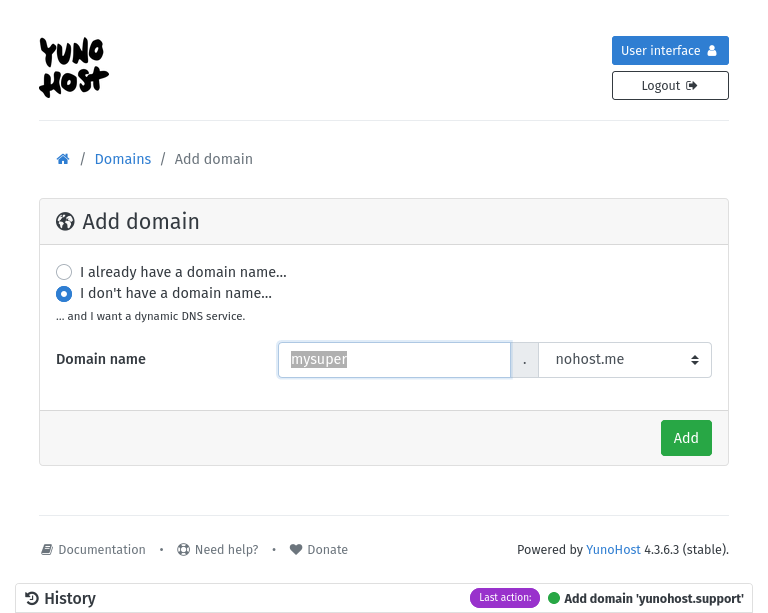
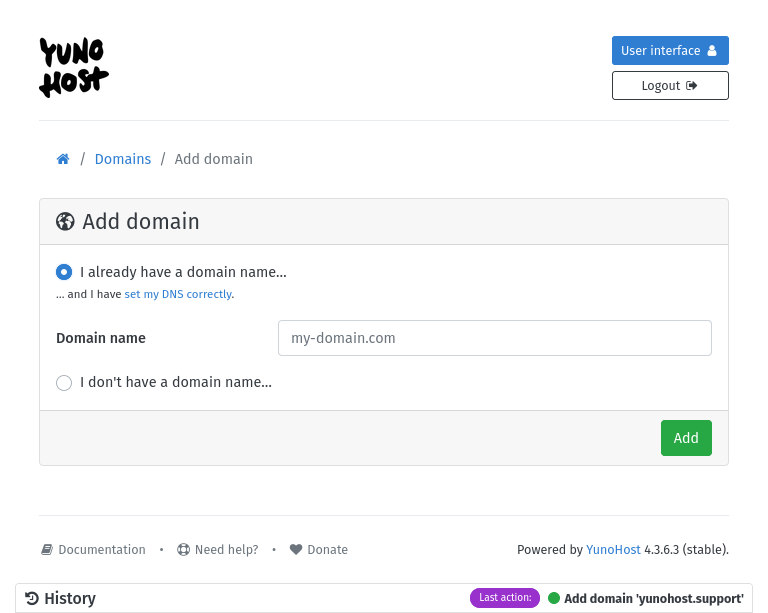
To limit resources costs and abuses, each instance may only have one of these domains setup at any given time, however you can add as many sub-domains of it as you wish. For example, if you choose example.noho.st you can later add the domains video.example.noho.st or www.example.ynh.noho.st or any other sub-domain you may need. In this case you need to select I already have a domain name.
Having your own domain brings several advantages:
- more control and autonomy
- simpler domain name (for example directly in .net or .org)
However, you have to pay for it each year (about 15€/year ... depending on the TLD) and you have to do some extra configuration to setup a correct DNS zone. Our diagnosis tool can trigger alert to help you to do this configuration.
If you already have your own domain, you can simply click "I already have a domain name…". If you don't, in order to simplify and automate the DNS configuration, we suggest you to buy it from a registrar whose API is supported by YunoHost.
Starting from YunoHost v4.3, domains ending by .local are fully supported, in addition to the default yunohost.local.
They do not use the DNS protocol, but the mDNS one (also known as Zeroconf, Bonjour), which allows them to be published with no specific configuration but exclusively on your local network or VPN.
Their use is this especially suitable when you do not need your apps to be available on the Internet.
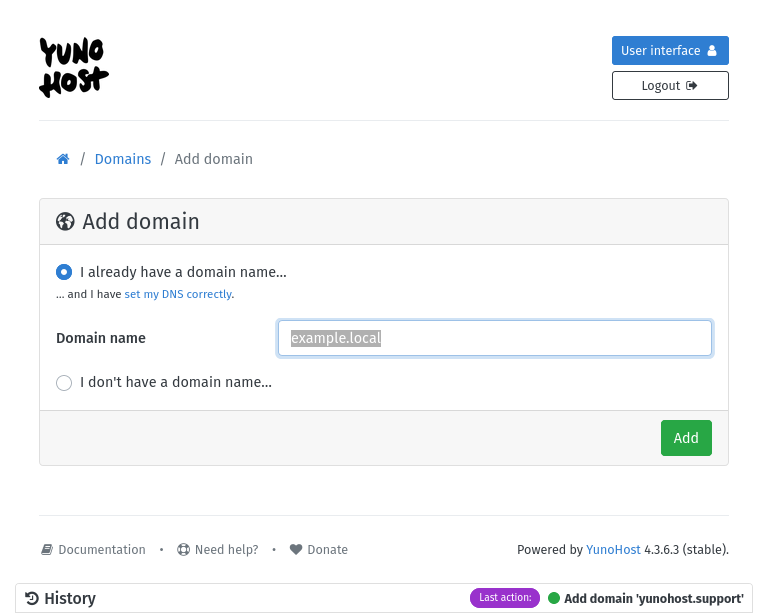
mDNS protocol does not allow for subdomains to be created. So domain.local will work, while sub.domain.local is not possible.
Yunomdns service takes care of publishing your .local domains on your network.
It has a configuration file, /etc/yunohost/mdns.yml, which allows you to choose which domains are published, and on which network interfaces.
This file is automatically regenerated whenever you add or delete a .local domain.
The service will always try to publish yunohost.local. If you have multiple YunoHost servers on your network, try yunohost-2.local, and so on.
The number may change depending on which server starts first, so do not rely on it to use actual apps and create your own domains.
Unfortunately, Android devices before version 12 (released in 2021) do not seem to be listening to mDNS protocol.
To be able to reach .local domains on your Android devices, you will have to add in their DNS settings your YunoHost server's local IP address.
DNS configuration
DNS (Domain Name System) is a system that enables computers worldwide to translate human-readable domain names (such as yolo.com) into machine-readable IP addresses (such as 11.22.33.44). For this translation (and other features) to work, DNS records need to be carefully configured.
YunoHost can generate a recommended DNS configuration for each domain, including the records required for e-mail. The recommended DNS configuration is available in the web administrator via Domains > (the domain) > DNS configuration, or with the command yunohost domain dns suggest the.domain.tld.
About Non-latin characters
If your domain has special, non-latin characters, it will be transformed by YunoHost into its internationalized version through Punycode. So when you use the command line, you have to use the punycode format return for example by yunohost domain list.
SSL/HTTPS certificates
Another important aspect of domain configuration is the SSL/HTTPS certificate. YunoHost is integrated with Let's Encrypt, so once your server is correctly reachable from anybody on the internet through the domain name, the administrator can request a Let's Encrypt certificate. See the documentation about certificates for more information.